

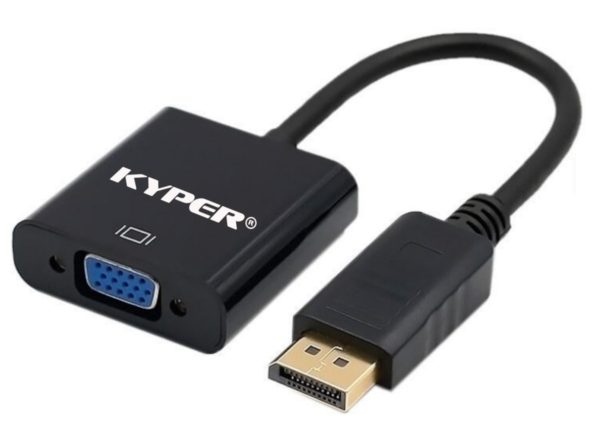
Product Overview
USKyper-1368 converts a DisplayPort video output to analog VGA.
Compatibility
For computers and graphics devices with DisplayPort output and displays or projectors with VGA input.
Important Note
VGA carries video only. Audio requires a separate connection. Signal direction is DisplayPort source to VGA display.
Instructions
- Connect the DisplayPort end to the source device.
- Connect a VGA cable from the adapter to the display or projector.
- Tighten the VGA thumbscrews.
- Select the VGA / PC input on the display.
- If no picture appears, verify the source resolution and reconnect the adapter.
Reviews
There are no reviews yet.